Technical Articles
Web design trends 2026
The year 2026 is shaping up to redefine how we interact with the web. From immersive experiences to more accessible interfaces, web design trends 2026 reflect a blend of aesthetic ambition and practical usability. This post explores what to expect, why these trends matter, and how to thoughtfully incorporate them into your projects.
Introduction: setting the stage for 2026 web design
As technology evolves, so do user expectations. The keyword web design trends 2026 captures the pulse of the industry: interfaces that are faster, more inclusive, and visually compelling. Designers, developers, and business stakeholders are all looking for signals about which techniques will deliver real value. In this context, understanding emerging patterns helps teams prioritize investments in UX, performance, and accessibility.
Performance-first design: speed as a feature
Speed remains a cornerstone of web success, and 2026 continues to push performance to the forefront. Web design trends 2026 include:
- Lean, efficient code and asset optimization
- Advanced image formats and responsive loading strategies
- Server-driven UI with edge computing to reduce latency
Why it matters: fast experiences reduce bounce rates, improve conversions, and support a better general user experience. Techniques such as lazy loading, intelligent prefetching, and prioritizing above-the-fold content will be standard practice. For teams, the takeaway is to build with performance budgets and measurable performance KPIs from the outset.
Inclusive and accessible design as a baseline
Accessibility is no longer optional; it’s a requirement built into the fabric of modern web development. The web design trends 2026 landscape emphasizes inclusive design patterns:
- Semantic HTML and proper ARIA labeling
- Keyboard navigability and screen-reader friendly structures
- Color contrast, motion sensitivity considerations, and user-controlled animations
Why this matters: accessible design expands your audience, reduces legal risk, and aligns with many organizations’ diversity and inclusion goals. A practical approach is to audit every component for accessibility and to test with assistive technologies early and often.
Immersive and expressive visuals: 3D, micro-interactions, and beyond
Visual storytelling takes on new dimensions in 2026. Expect more:
- Subtle 3D elements and depth cues that respond to user interaction
- Rich micro-interactions that communicate state and feedback without overwhelming
- Advanced typography and variable fonts for expressive, performant typography
The web design trends 2026 in visuals aim to engage users without sacrificing clarity. The key is balance: create memorable moments while sustaining readability and performance. Designers should prototype interactions to ensure they enhance comprehension rather than distract.
AI-assisted design and content personalization
Artificial intelligence continues to influence how we design and deliver content. Anticipated patterns within web design trends 2026 include:
- AI-powered design assistants that suggest layout and styling options
- Personalization engines that tailor content blocks to user intent
- Automated accessibility testing and compliance checks
Caveat: AI should augment human creativity, not replace it. Teams should establish governance around AI outputs, including brand consistency, tone of voice, and user privacy. When used responsibly, AI can accelerate workflows and help deliver more relevant experiences.
Voice and conversational interfaces
Voice continues to mature as a usable input method for the web. In 2026, expect tighter integration of natural language understanding in web apps, improved chatbots, and conversational breadcrumbs that guide users through tasks. The web design trends 2026 storyline includes designing for voice search, transcripts, and accessible conversational flows that respect user preferences and privacy.
The rise of modular, scalable design systems
Consistent branding and scalable production are critical as products evolve. Design systems become more modular, with:
- Component libraries that support rapid prototyping
- Documentation that clearly defines tone, behavior, and accessibility
- Tooling that integrates with CI/CD and automated testing
Why it matters: a mature design system reduces design debt, speeds up development, and ensures cohesive user experiences across platforms. Teams should invest in a living design system that grows with product needs.
Security-by-default in UI/UX
Security considerations are increasingly visible in the user interface. In 2026, designers will encode security-sensitive patterns into the UX:
- Clear indicators of trusted interactions and secure data handling
- Transparent consent flows for cookies and data processing
- Privacy-first defaults in forms and settings
This shift improves trust and compliance, turning security from a friction point into a usability feature.
Final thoughts
Web design trends 2026 reflect a holistic approach to building digital products: fast, accessible, immersive, and intelligent. By prioritizing performance, accessibility, and modular design, teams can deliver winning experiences that scale. The practical takeaway is to align your project goals with these trends, test continuously, and balance innovation with usability. As the web continues to evolve, staying informed about web design trends 2026 will help you craft sites that delight users today and remain adaptable tomorrow.
Contact Shadowbend Studios today and let us help you bring your business online!

Technical Articles
What is web hosting with example?
Web hosting is a foundational service that powers the websites we visit every day. It’s the invisible infrastructure that stores your site’s files, makes them accessible on the internet, and ensures they load for visitors around the world. If you’ve ever wondered where your website lives when you publish it online, web hosting is the answer. In this post, we’ll break down what web hosting is, how it works, and provide clear examples to help you understand the concept in practical terms.
Introduction: Why web hosting matters
When you create a website, you’re essentially building a collection of files: HTML, CSS, images, databases, and code. These files need a home that is always online so that anyone with an internet connection can access them. Web hosting providers offer servers, storage, bandwidth, and technical support to keep your site available, fast, and secure. Without hosting, your site would exist only as a local project on your computer and wouldn’t be reachable by others.
How web hosting works
At a high level, web hosting involves storing your website’s files on a server and connecting that server to the internet. Here’s a simple flow:
- You create and upload your website files to a hosting server.
- The hosting provider assigns a domain name or connects your existing domain to the server.
- A user enters your domain in their browser, which sends a request to the server.
- The server retrieves the requested files and sends them back to the user’s browser.
- The browser renders the content for the visitor.
Hosting plans vary by resources such as storage space, bandwidth, processing power, memory, and additional features like email accounts or support for databases. Different types of hosting cater to different needs.
Types of web hosting with examples
Shared hosting
Shared hosting is like renting a single apartment building where many tenants share the same structure and resources. Your website sits on a server alongside many other sites, sharing CPU power, memory, and bandwidth. It’s usually the most affordable option and is suitable for small personal sites or startups with modest traffic.
- Example: Bluehost offers affordable shared hosting plans that include a control panel, one-click WordPress installation, and email accounts. For a small business or personal blog, this can be an excellent entry point into web hosting.
Virtual Private Server (VPS) hosting
A VPS is a step up from shared hosting. While multiple websites share a physical server, each site runs within its own isolated virtual environment. This provides more consistent performance and greater control, making it ideal for growing sites that outgrow shared hosting.
- Example: InMotion Hosting provides VPS plans with guaranteed resources, root access, and scalable options. If you need more customization and reliability without renting an entire dedicated server, VPS hosting is a solid choice.
Dedicated hosting
Dedicated hosting gives you an entire physical server dedicated to your website. This offers maximum performance, security, and control, but it comes at a higher cost and requires more technical management. It’s best for large, high-traffic sites or applications with strict compliance needs.
- Example: Liquid Web offers managed dedicated hosting, where the provider handles maintenance and optimization, letting you focus on your core business. This is suitable for enterprises that demand top-tier performance.
WordPress hosting
WordPress hosting is optimized specifically for WordPress sites. These plans include features like one-click WordPress installation, automatic updates, specialized security measures, and optimized caching to speed up WordPress sites.
- Example: SiteGround’s WordPress hosting plans come with built-in caching, free migrations, and strong security features tailored for WordPress users. If your site runs on WordPress, this type of hosting can simplify management and performance.
Managed hosting
In managed hosting, the provider takes care of many day-to-day tasks such as server maintenance, software updates, backups, and security. You choose the level of management that suits your expertise, which can be especially helpful for non-technical users.
- Example: WP Engine is a renowned managed hosting provider for WordPress that handles performance optimization, security, and updates, allowing developers to focus on content and design.
Cloud hosting
Cloud hosting distributes your site across multiple servers and data centers. This ensures high availability and scalability, as traffic spikes can be handled by extra resources in the cloud. It’s a flexible option for websites with variable traffic.
- Example: Amazon Web Services (AWS) and Google Cloud offer cloud hosting solutions. For a startup scaling rapidly, cloud hosting provides pay-as-you-go pricing and robust infrastructure.
Free hosting
Free hosting is sometimes offered by providers with limitations, such as forced ads, restricted bandwidth, or limited storage. It’s usually suitable only for experimentation or very small personal projects.
- Example: InfinityFree offers free hosting plans with limited resources, but for a serious project or business, upgrading to a paid plan is generally advisable.
How to choose the right hosting
Selecting the right hosting requires balancing cost, performance, reliability, and support. Consider the following factors:
- Traffic and resource needs: Estimate monthly visitors, storage, and bandwidth.
- Reliability and uptime: Look for providers with at least 99.9% uptime guarantees.
- Speed and performance: Evaluate server hardware, caching, and CDN options.
- Security features: SSL certificates, backups, firewalls, and malware scanning.
- Support: 24/7 availability, multiple contact channels, and quality of assistance.
- Scalability: The ability to upgrade resources as your site grows.
- Control panel and ease of use: A user-friendly interface can save time.
- Backups and recovery: Regular backups reduce the risk of data loss.
Practical example: a small business website
Imagine a small business that sells handmade candles online. They start with a shared hosting plan to keep costs low while validating demand. As traffic increases with holiday sales, they upgrade to a VPS to ensure smoother performance and more control over server settings. They also opt for a managed WordPress hosting plan to simplify content updates and enhance security. When their business experiences a seasonal spike, they leverage cloud hosting to scale resources quickly without overpaying during quieter months. This progression demonstrates how hosting needs evolve with growth.
The role of domains and email
Web hosting is closely linked to domain names and email hosting. Most hosting providers offer domain registration or enable you to connect an existing domain. Email hosting, often included in hosting packages, allows you to create custom email addresses aligned with your domain (e.g., you@yourdomain.com), which adds professionalism and trust.
What is web hosting with example? – Final thoughts
Web hosting is the backbone of any online presence. By understanding the different hosting types and their use cases, you can choose a solution that matches your goals, budget, and technical comfort level. Whether you start with affordable shared hosting or migrate to a scalable cloud or managed WordPress hosting, the right hosting plan helps your website load faster, stay secure, and remain reliable for your visitors. If you’re unsure where to begin, start with a clear picture of your expected traffic, growth plan, and required features, and evaluate providers based on uptime, performance, and support. Web hosting is more accessible than you might think, and with the right choice, your website can thrive on the open internet.
Discover more informative articles on our blog page

Graphic Design
What Do Graphic Designers Create?
Graphic design is a vibrant and ever-evolving field that sits at the intersection of art, communication, and technology. At its core, graphic design is about solving problems visually, translating ideas into images, typography, and layouts that inform, persuade, or delight. If you’ve ever wondered what graphic designers actually create, this post breaks down the core outputs, the processes behind them, and the ways these creations impact everyday life. Throughout, we’ll weave in the keyword graphic design to reinforce the topic and ensure clarity for readers new to the field.
Understanding the Scope of Graphic Design
Graphic design is not a single product but a broad discipline with many formats and applications. Designers collaborate with brands, publishers, advertisers, and developers to craft visuals that communicate messages effectively. The outputs can be digital, print, or environmental, and they often rely on a combination of typography, imagery, color theory, and composition. From logos to user interfaces, graphic design shapes how information is perceived and remembered.
Branding and Identity: The Face of a Brand
One of the most recognizable functions of graphic design is branding. Designers create visual identities that capture a brand’s values, voice, and story. This includes:
- Logos and logomarks that symbolize the business
- Color palettes that convey mood and personality
- Typography systems that ensure consistency across materials
- Brand guidelines that tell teams how to use assets
A well-crafted brand identity helps audiences recognize and trust a company, product, or service. In graphic design, branding isn’t just about looking good; it’s about building a cohesive language that supports marketing and customer experience over time.
Print Communication: From Pages to Posters
Print remains a powerful channel for storytelling and information. Graphic designers produce materials such as:
- Marketing collateral (brochures, flyers, posters)
- Magazines, newspapers, and books layouts
- Packaging designs that attract attention on shelves
- Stationery and business cards that establish a professional image
In this realm, attention to margins, bleed, paper stock, and print finishes matters. The craft involves translating digital concepts into print-ready artwork that emerges crisp, legible, and aesthetically pleasing when produced.
Digital Design: Interfaces, Experiences, and Visuals
As more of our lives move online, digital design has become central to how we interact with content. Graphic design outputs for the digital space include:
- Website and app interfaces (UI design) and visual branding across screens
- Social media graphics and campaign visuals
- Email templates, banners, and digital ads
- Motion graphics and simple animations that add depth to user experiences
Digital designers balance aesthetics with usability. They consider responsive layouts, accessibility, loading times, and clarity to ensure that visuals enhance rather than hinder the user journey.
Publication and Editorial Design: Where Words Meet Visuals
In publishing, graphic design harmonizes text and imagery to guide readers through content. Designers work on:
- Magazine and newspaper layouts with readable typography and compelling images
- Chapter openers, pull quotes, and infographic elements that break up long passages
- Cover design that signals the content inside and entices readers
- Visual storytelling through grids, color, and typographic hierarchy
Editorial design is about readability, rhythm, and engagement. The right combination of type, space, and imagery can elevate a piece from ordinary to memorable.
Infographics and Data Visualization: Making Data Accessible
One of the most impactful outputs of graphic design is data visualization. Designers transform complex information into clear, engaging visuals. They create:
- Infographics that summarize processes, timelines, or comparisons
- Charts, graphs, and dashboards that reveal trends
- Illustrated diagrams that explain systems or ideas
- Icon systems that provide quick cues across materials
Effective data visualization emphasizes accuracy, clarity, and storytelling. It helps audiences grasp insights quickly without sacrificing nuance.
Environmental and Experiential Design: Space and Interaction
Graphic design also extends into how people experience spaces and events. This includes:
- Wayfinding systems in buildings and campuses
- Exhibition graphics for museums and trade shows
- Signage, banners, and interior graphics that guide and inform
- Interactive installations and digital kiosks
In environmental design, the goal is cohesion between form and function, ensuring that visuals direct behavior while enhancing ambience.
The Tools and Processes Behind Graphic Design
The outputs described above don’t appear by magic. They emerge from a structured process and the right tools. A typical graphic design workflow includes:
- Briefing and discovery: Understanding goals, audience, and constraints
- Concept development: Sketching ideas and exploring visual directions
- Refinement: Selecting color, typography, imagery, and layout systems
- Production: Preparing files for print or digital delivery
- Evaluation: Testing readability, accessibility, and emotional impact
Common tools range from vector graphics editors and image editors to page layout software and prototyping tools. While software is essential, successful graphic design also relies on research, strategic thinking, and collaboration with clients or teammates.
Why Graphic Design Matters
Graphic design shapes perception. A well-designed visual system can boost recognition, communicate complex information quickly, and create emotional resonance. It influences consumer behavior, supports brand loyalty, and elevates the aesthetics of everyday objects, from the packaging on a grocery shelf to the interface on a mobile app. In a world overflowing with information, clear, compelling design helps audiences connect with messages and make decisions with confidence.
What Do Graphic Designers Create? – Final Thoughts
Graphic design is a multifaceted discipline that creates a wide range of visuals, from logos and packaging to digital interfaces and data visualizations. Each artifact serves a purpose: to inform, persuade, guide, or delight. By understanding the different outputs of graphic design, you can appreciate the careful thought, collaboration, and craft that go into every visual you encounter. Whether you’re a business owner seeking a cohesive brand or a curious reader exploring how visuals shape communication, the design work behind the scenes is a reminder that good design is as much about clarity as it is about beauty.
Contact Shadowbend Studios today and let us help you with your next graphic design project.
Web Design Trends
Top 2026 Web Design Trends
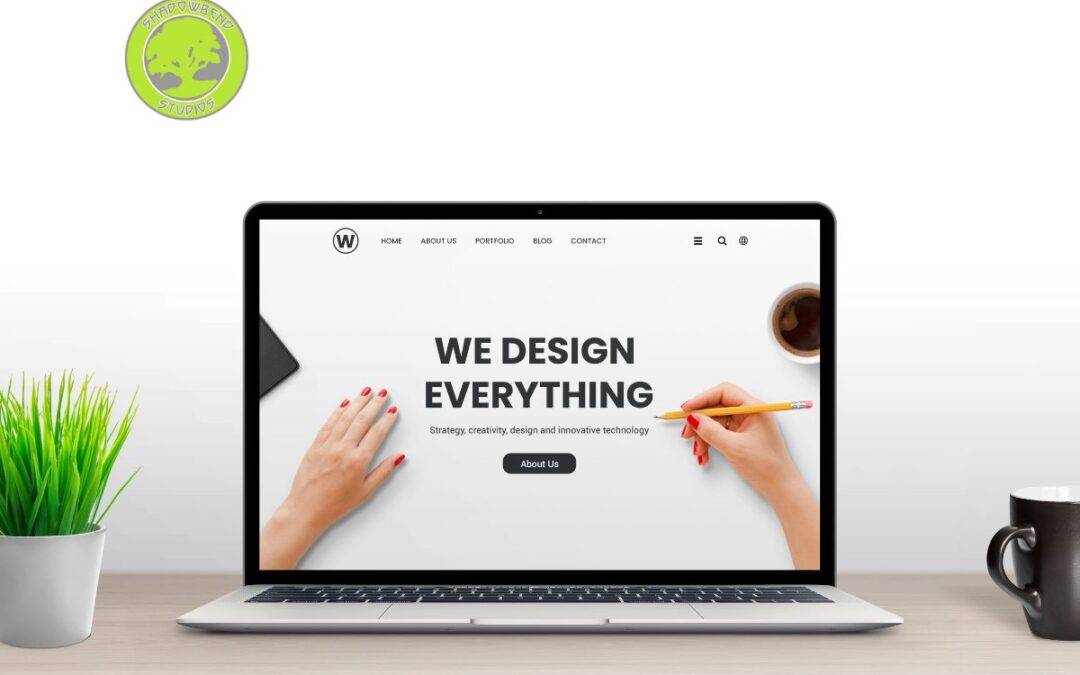
The world of web design is perpetually evolving, and 2026 is shaping up to bring some exciting shifts. For designers, developers, and business owners alike, staying ahead of the curve means understanding where user expectations are headed and how technology can enhance usability. In this post, we’ll explore the top web design trends for 2026, with a focus on how to implement them effectively and why they matter. If you’re looking to refresh a site or plan a new project, these insights will help you align with current best practices and audience expectations. Web design trends 2026 are about improving accessibility, performance, and the overall user experience while pushing creative boundaries.
Why Trends Matter in Web Design
Before diving into specifics, it’s worth noting why trends matter. Trends signal what users expect in terms of aesthetics, interaction, and performance. They also reflect advancements in technology, faster networks, more capable devices, and emerging standards for accessibility and inclusivity. By embracing relevant trends, you can:
- Improve user engagement and conversion rates
- Enhance accessibility and inclusivity
- Leverage new tools and frameworks to deliver faster, more resilient sites
- Stay competitive in a crowded digital landscape
With that in mind, let’s examine the trends most likely to shape web design in 2026.
1) Immersive Micro-interactions and Motion
Motion continues to play a crucial role in guiding users and adding personality to a brand. In 2026, expect more sophisticated micro-interactions that respond to user input with subtle, purposeful animation. Think:
- Micro-animations that reveal content as it enters the viewport
- Hover and scroll-triggered effects that feel intuitive rather than gratuitous
- Motion design that reinforces brand storytelling without compromising performance
To implement this trend, developers should:
- Use lightweight animation libraries or native CSS animations to minimize impact on performance
- Ensure accessibility by providing reduced-motion alternatives for users who prefer them
- Test across devices to maintain consistent behavior
2) Bold Typography and expressive color systems
Typography remains a powerful tool for establishing hierarchy and mood. In 2026, expect bolder typography choices, experimental type scales, and expressive color systems that convey brand personality. Practical tips include:
- Pair a strong display font with a legible body type for readability
- Use variable fonts to adapt typography responsively without sacrificing performance
- Create accessible color palettes with sufficient contrast while exploring vibrant accents
This trend is about making a statement while keeping readability and accessibility at the core of design decisions.
3) Neumorphism, Glassmorphism, and Blended Styles
Visual aesthetics are embracing nuanced surfaces and depth. Neumorphism and glassmorphism offer ways to create tactile, modern interfaces that feel both soft and polished. Key considerations:
- Use neumorphic elements sparingly to avoid readability issues
- Glassmorphism can highlight interactive areas but ensure enough contrast
- Blended styles can unify complex components, but maintain a clean information hierarchy
Best practice is to combine these styles thoughtfully, ensuring accessibility, performance, and responsiveness are not sacrificed.
4) AI-assisted Design and Content Personalization
Artificial intelligence is increasingly integrated into the design process, from layout suggestions to content personalization. In 2026, expect more AI-driven tools that help generate layouts, select imagery, and tailor experiences based on user behavior. How to leverage this trend:
- Use AI tools for rapid prototyping and A/B testing
- Personalize content and recommendations while respecting privacy
- Maintain human oversight to ensure brand voice and quality
Remember, AI should augment the design process, not replace human judgment.
5) Performance-first Design and Optimized Experiences
As web performance becomes even more critical, 2026 will emphasize performance-first design. This means prioritizing fast load times, efficient asset management, and lean code. Strategies include:
- Core Web Vitals as a baseline measurement
- Optimized images, modern formats (like AVIF), and responsive loading
- Route-based code splitting and lazy loading for faster initial renders
Performance-friendly design is not a trend so much as a baseline expectation for modern websites.
6) Accessibility at the Core
Accessibility continues to move from afterthought to core requirement. In 2026, reputable sites will treat accessibility as a feature that expands reach and inclusivity. Essential practices:
- Semantic HTML, ARIA where appropriate, and keyboard navigability
- Clear focus states and visible outlines for interactive elements
- Color choices with high contrast and readable typography
A genuinely accessible site improves usability for all users and reduces risk of compliance issues.
7) 3D and Immersive Visuals with WebGL and CSS
Advances in WebGL, CSS, and hardware acceleration enable richer visuals without sacrificing performance. Expect more:
- Lightweight 3D elements integrated into product displays
- Subtle parallax and depth effects that enhance storytelling
- Interactive 3D demos and product configurators
Implement responsibly by optimizing assets and ensuring fallbacks for older devices.
8) Voice and Conversational Interfaces
Voice search and conversational interactions are becoming more common, especially on larger brands and service-oriented sites. Design tips:
- Provide clear, concise navigation and FAQs suitable for voice queries
- Use conversational microcopy in chatbots and support widgets
- Ensure transcripts and accessible alternatives exist for audio content
Voice interfaces should complement visual interfaces, not replace them.
9) Sustainable and Inclusive Design Principles
Design choices increasingly reflect sustainability and inclusivity. This includes:
- Efficient, energy-conscious assets and layouts
- Language and imagery that reflect diverse audiences
- Accessible design that scales across devices and regions
Sustainability and inclusion should be considered in every project brief.
Final thoughts
Web design trends 2026 point toward more immersive, performant, and inclusive experiences. By embracing bold typography, strategic motion, AI-assisted workflows, and strong accessibility, you can craft sites that resonate with users while meeting business goals. Remember to balance novelty with practicality, prioritize performance, accessibility, and a clear information hierarchy as you experiment with new visual languages and interaction models. If you plan ahead and test thoughtfully, your 2026 projects will not only look modern but also feel effortless to use. The future of web design is here, and it’s as much about human-centric experiences as it is about cutting-edge technology.
For more interesting articles, visit our blog page.

Social Media
What are examples of social media marketing
Social media marketing is a dynamic and essential component of modern business strategy. With billions of users across platforms, it offers a multitude of ways to reach, engage, and convert audiences. In this post, we’ll explore concrete examples of social media marketing, show how they fit into a broader strategy, and share practical tips for getting started.
Introduction to social media marketing
Social media marketing encompasses any effort to promote products, services, or brands through social media channels. It includes organic content, paid advertising, influencer partnerships, community management, and analytics-driven campaigns. The goal is to build relationships, increase brand awareness, drive traffic, generate leads, and boost sales. Whether you’re a small business or a large enterprise, there are scalable examples of social media marketing you can adapt to your goals.
Organic content that builds brand presence
Organic content is the backbone of social media marketing. It doesn’t rely on paid placements but on creativity, consistency, and value for followers.
- Educational posts: Tutorials, how-tos, and explainer videos that teach something relevant to your audience.
- Behind-the-scenes content: A peek into your company culture, production processes, or day-to-day operations.
- User-generated content: Reposting customer photos, reviews, or stories to showcase social proof.
- Visual storytelling: Carousels, short videos, reels, or IG stories that tell a cohesive narrative.
- Thought leadership: Expert insights, industry trends, and commentary that positions your brand as a trusted voice.
Organic content should align with your brand voice and posting cadence. Consistency helps grow a loyal audience over time.
Paid advertising campaigns
Paid social media advertising accelerates reach and precisely targets audiences based on demographics, interests, and behavior. Common formats include:
- Image ads: Standalone visuals with concise copy.
- Video ads: Engaging clips that demonstrate a product or tell a story.
- Carousel ads: Multiple cards that highlight features or use cases.
- Reels and short-form video ads: Fast-paced content optimized for mobile viewing.
- Sponsored content: Paid posts from influencers or creators who align with your brand.
- Conversion campaigns: Ads designed to drive specific actions like purchases or signups.
- Retargeting campaigns: Ads shown to people who have engaged with your site or app.
A successful paid strategy combines compelling creative with precise audience targeting, a clear call to action, and a measurable attribution plan.
Influencer partnerships and collaborations
Influencer marketing leverages trusted voices to reach niche communities. Examples include:
- Brand ambassadorships: Long-term collaborations with a creator who embodies your values.
- Product launches with influencers: Coordinated posts, unboxings, or tutorials timed with a launch.
- Creator takeovers: An influencer temporarily manages your account to share authentic content.
- Affiliate partnerships: Influencers earn commissions for driving sales through unique links or codes.
Effectiveness depends on alignment between the influencer audience and your target customer, authentic content, and transparent disclosures.
Community engagement and social customer service
Active community management turns social channels into a two-way street. Practices include:
- Responding to comments and messages promptly
- Creating polls, Q&As, and interactive content to spark dialogue
- Moderating discussions to maintain a positive environment
- Using social listening to detect trends, feedback, and potential issues
- Providing support and troubleshooting through social channels
Excellent social customer service can differentiate your brand and foster loyalty.
Content diversification and cross-platform strategy
Different platforms favor different content formats. Examples of platform-specific approaches:
- Facebook: Community groups, events, longer-form posts, and targeted ads.
- Instagram: Visually appealing imagery, Reels, Guides, and shopping features.
- Twitter/X: Timely updates, short-form messages, and rapid engagement.
- LinkedIn: Thought leadership, case studies, and B2B networking.
- TikTok: Short, entertaining, and highly shareable videos.
- Pinterest: Inspiration, how-to guides, and evergreen visuals.
A cohesive social media marketing plan tailors content to each platform while maintaining a consistent brand narrative.
Measuring success and iterating
Analytics are critical for refining social media marketing efforts. Key metrics include:
- Reach and impressions: How many people saw your content.
- Engagement rate: Likes, comments, shares, saves, and reaction metrics.
- Click-through rate (CTR): Percentage of people who clicked on links.
- Conversion rate: Actions completed after interacting with a post or ad.
- Cost per result: Cost per click, per lead, or per sale in paid campaigns.
- Return on ad spend (ROAS): Revenue generated relative to ad spend.
A/b testing, cohort analysis, and funnel tracking help optimize creative, targeting, and messaging over time.
Final thoughts
Social media marketing offers a rich toolkit for reaching audiences, building relationships, and driving business outcomes. By blending organic content, paid campaigns, influencer partnerships, and strong community management, brands can create authentic and scalable marketing programs. Start by defining clear objectives, understanding your audience, and choosing the right mix of tactics for your goals. With consistent effort and data-informed optimizations, social media marketing can deliver meaningful growth for your business.
Contact Shadowbend Studios and let us help you stand out on social media!

Technical Articles
How SEO Works Step by Step
Search engine optimization is a critical skill for building visibility online. By understanding how search engines crawl, index, and rank content, you can create more relevant, accessible, and valuable experiences for users. This guide breaks down the process step by step and highlights practical actions you can take to improve your site’s performance with search engine optimization.
Introduction to SEO
SEO stands for search engine optimization, a practice centered on making your website more attractive to search engines like Google, Bing, and others. The ultimate goal is to earn higher rankings for relevant queries, drive organic traffic, and increase the likelihood that visitors convert into customers, subscribers, or readers. In this section, we’ll outline the core idea: search engines aim to deliver the best possible results, and SEO is about aligning your content, technical setup, and user experience with what search engines consider high quality.
Step 1: Understanding Search Engine Basics
Before you optimize, you should know how search engines operate at a high level:
- Crawling: Bots scan the web to discover pages.
- Indexing: Discovered pages are analyzed and stored in an index.
- Ranking: When a user queries, the search engine evaluates which pages to show and in what order.
- Ranking signals: Relevance, authority, user experience, and technical factors influence rankings.
Key takeaway: SEO is not a one-size-fits-all task; it’s an ongoing process of improving content relevance, site structure, and trust signals.
Step 2: Keyword Research and Strategy
Keyword research is the foundation of effective SEO. It involves identifying terms people use to search for your topics and understanding intent behind those searches. Practical steps include:
- Brainstorm seed keywords related to your topic.
- Use keyword planning tools to discover search volume, competition, and related terms.
- Analyze search intent: informational, navigational, transactional, or commercial investigation.
- Group keywords into topic clusters and map them to pages on your site.
In this guide, we focus on the broader concept of search engine optimization, but keyword research is a crucial part of that process. By selecting relevant keywords and matching them to high-quality content, you improve your chances of ranking for terms your audience actually uses.
Step 3: On-Page Optimization
On-page optimization involves making sure each page clearly communicates its purpose and provides value to visitors. Important elements include:
- Title tags: Craft compelling, keyword-rich titles that reflect the page’s content.
- Meta descriptions: Write concise summaries that entice clicks and include relevant keywords.
- Headers (H1, H2, H3): Structure content for readability and signal topic hierarchy.
- Content quality: Write informative, well-researched, and original content that answers user questions.
- URL structure: Use clean, descriptive URLs that include target keywords where appropriate.
- Internal linking: Create a logical network of internal links to distribute authority and help users navigate.
- Image optimization: Use descriptive alt text and optimize file sizes to improve accessibility and load times.
Remember, on-page optimization is about clarity, usefulness, and aligning with user intent while signaling relevance to search engines through structured content.
Step 4: Technical SEO
Technical SEO focuses on the behind-the-scenes aspects that affect crawling, indexing, and user experience. Key areas include:
- Site speed: Optimize loading times through image compression, caching, and efficient code.
- Mobile-friendliness: Ensure responsive design and good usability on small screens.
- SSL/HTTPS: Secure connections build trust and are a ranking factor for many engines.
- XML sitemaps: Help search engines discover and index pages efficiently.
- Robots.txt: Guide crawlers on which pages to crawl or avoid.
- Structured data: Implement schema markup to enhance search results with rich snippets.
- Crawl budget: Manage how many pages are crawled and indexed based on site size and importance.
Technical SEO is often the difference between a good site and a great one, especially for larger sites with many pages.
Step 5: Content Strategy and Creation
Content is at the heart of SEO. A strong content strategy addresses user needs and aligns with your keyword research and topic clusters. Focus areas include:
- E-A-T principles: Expertise, Authoritativeness, and Trustworthiness.
- Long-form content: Comprehensive guides that thoroughly answer questions tend to perform well.
- Content freshness: Regular updates and new content signal ongoing relevance.
- Multimedia inclusion: Use images, video, and diagrams to enrich understanding.
- Content audits: Periodically review and update older content to maintain accuracy and relevance.
Balanced content creation also considers user experience, readability, and accessibility to ensure broad reach.
Step 6: Off-Page SEO and Authority Building
Off-page SEO involves signals outside your site that influence rankings, primarily links and brand signals. Effective off-page strategies include:
- Backlink outreach: Earn high-quality, relevant links from authoritative sites.
- Content promotion: Share valuable content on social media, communities, and industry forums.
- Brand building: Establish a recognizable, trustworthy presence online.
- Digital PR: Create compelling stories or data-driven insights that earn media coverage.
While links remain a core ranking factor, quality matters more than quantity. Focus on earning links from relevant, reputable sources.
Step 7: Analytics, Measurement, and Optimization
SEO is an ongoing loop of measurement and improvement. Key activities:
- Set up analytics: Track traffic, conversions, and on-page engagement.
- Monitor rankings and visibility: Use dashboards to watch keyword performance.
- Analyze user behavior: Look at bounce rate, time on page, and path through your site.
- Conduct A/B tests: Experiment with titles, meta descriptions, and page layouts.
- Iterate based on findings: Refresh content, adjust keywords, and improve technical issues.
Data-driven optimization helps you allocate resources effectively and demonstrates ROI.
How SEO Works Step by Step – Final Thoughts
Understanding how SEO works step by step gives you a practical roadmap for improving online visibility. From initial keyword research to technical optimization, content creation, off-page signals, and ongoing measurement, each component plays a vital role in helping search engines understand and rank your site. Stay patient, be consistent, and focus on delivering real value to your audience. With thoughtful, iterative work on search engine optimization, you can achieve sustainable growth and better search performance over time.
Contact us today and let us help you improve your rankings!
Technical Articles
What are the 5 Major Components of a Web Page?
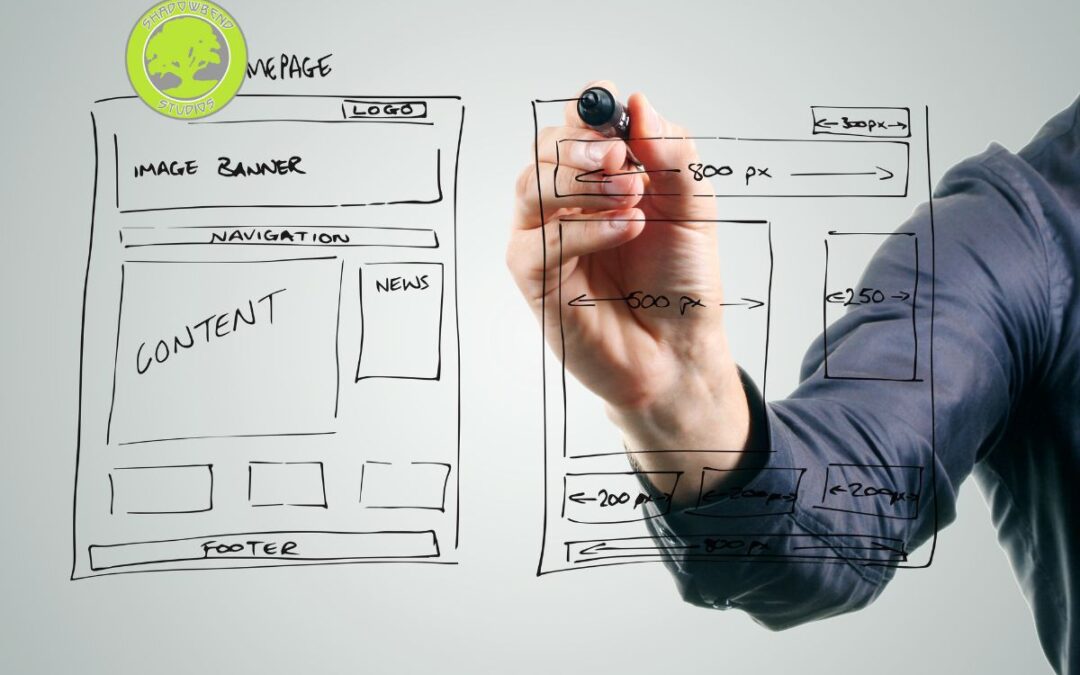
In the increasingly digital world, understanding what makes up a web page is foundational for anyone involved in the web design process. A well-structured page not only looks good but also performs well, loads quickly, and offers a smooth user experience. Here, we break down the five major components that every web page needs and explain how they fit into the broader web design process.
1) Structure: The HTML Backbone
The first major component of any web page is its structure, created with HTML. HTML provides the semantic skeleton of the page, defining elements such as headings, paragraphs, lists, images, links, and forms. A solid markup approach:
- Uses semantic tags (for example, header, nav, main, article, section, footer) to convey meaning.
- Ensures accessibility so assistive technologies can interpret content correctly.
- Improves SEO by giving search engines clear signals about the page’s hierarchy and content.
In the context of the web design process, drafting clean HTML is typically one of the initial steps. It establishes the foundation upon which styling (CSS) and interactivity (JavaScript) are layered.
2) Presentation: Styling with CSS
Once the structure is in place, CSS handles presentation. Styling determines how a page looks and feels, including color schemes, typography, spacing, and layout. Key aspects include:
- Responsive design to adapt layouts for desktops, tablets, and mobile devices.
- A consistent visual language that aligns with branding and user expectations.
- Accessibility considerations such as color contrast and focus indicators.
Within the web design process, CSS is where a designer translates wireframes and designs into a live, visually compelling experience. Modern CSS techniques, flexbox, grid, custom properties (variables), and media queries, enable sophisticated and maintainable styles.
3) Behavior: Interactivity with JavaScript
Interactivity brings web pages to life. JavaScript, the language of the browser, adds behavior such as form validation, animations, user feedback, and asynchronous data loading. Important elements of the behavior component include:
- DOM manipulation to respond to user actions (clicks, hovers, scrolls).
- Asynchronous requests (AJAX/fetch) to fetch data without reloading the page.
- Progressive enhancement to ensure core content remains accessible even if scripts fail.
In the web design process, JavaScript is integrated after the basic structure and styling are in place. It enhances usability but should never be required for core content to be accessible.
4) Content: Text, Images, and Media
Content is at the heart of any web page. High-quality, relevant content informs, persuades, and engages visitors. This component includes:
- Clear, concise copy that communicates the page’s purpose.
- Visuals such as images, icons, and videos that complement and reinforce the message.
- Structured content with headings, lists, and alt text for accessibility and SEO.
Within the web design process, content strategy is often developed in parallel with design. This ensures that typography, hierarchy, and media choices support readability and user goals.
5) Performance and Accessibility: Speed, Usability, and Reach
The fifth major component encompasses how quickly a page loads and how accessible it is to all users. This includes:
- Performance optimization: minifying assets, optimizing images, caching, and efficient code.
- Accessibility (a11y): semantic HTML, keyboard navigation, screen reader compatibility, and appropriate contrast.
- SEO considerations: proper metadata, structured data, and crawlable links.
Optimizing for performance and accessibility is not a one-off task but an ongoing part of the web design process. It ensures that the page serves a broad audience across devices and network conditions.
The Web Design Process: Bringing the Five Components Together
Understanding the five major components helps demystify the web design process. A typical workflow might look like this:
- Discovery and planning: Define goals, audience, and success metrics.
- Information architecture and wireframing: Outline content structure and navigation.
- Visual design: Create mockups and style guides that reflect branding.
- Development: Implement HTML, CSS, and JavaScript; integrate content.
- Testing and optimization: Check performance, accessibility, and cross-browser compatibility.
- Launch and ongoing maintenance: Monitor metrics and update content and features as needed.
Throughout these stages, the web design process emphasizes collaboration among designers, developers, content creators, and stakeholders. A successful page balances aesthetics with function, delivering a seamless experience for users while meeting business objectives.
What are the 5 Major Components of a Web Page? – Final thoughts
A web page is more than a collection of elements; it’s a carefully engineered product that combines structure, presentation, behavior, content, and a commitment to performance and accessibility. By focusing on these five major components, teams can streamline the web design process and produce pages that are not only beautiful but also fast, accessible, and effective at achieving their goals. With thoughtful planning and ongoing optimization, any web page can deliver a strong, user-centered experience that stands up in today’s competitive digital landscape.
Visit our blog page for more informative articles
Technical Articles
What are the 5 Areas of Web Design?
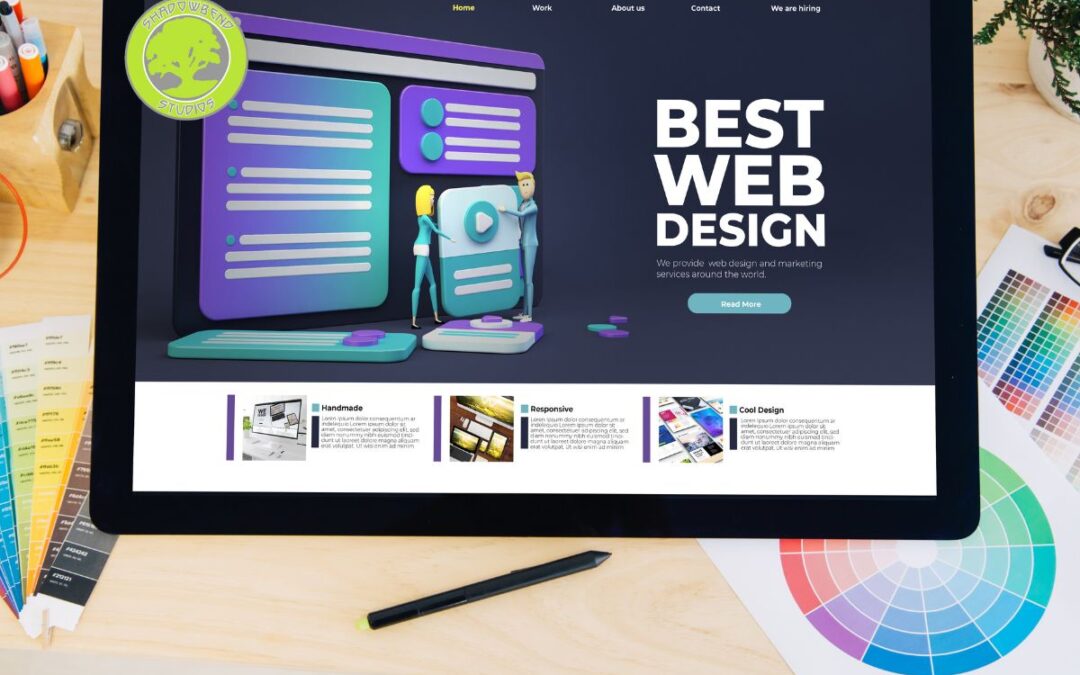
What are the 5 Areas of Web Design? Web design is a multifaceted discipline that blends creativity with technical precision. When teams discuss a new website project, they often break the work into core areas to ensure every important element is addressed. Understanding the five key areas of web design helps clarify responsibilities, align expectations, and deliver a polished final product. In this post, we’ll explore these five areas and connect them to web design best practices that help websites perform, convert, and resonate with users.
1) Visual Design and Branding
Visual design is the first thing many visitors notice. It encompasses color palettes, typography, imagery, layout, and overall aesthetic. The goal is to create a visually cohesive experience that reinforces brand identity while guiding users toward important actions.
- Color and typography: Choose a system of fonts and a color scheme that reflect the brand personality and ensure readability across devices.
- Imagery and iconography: Use high-quality images and icons that support content and communicate meaning quickly.
- Layout and grid systems: Implement consistent spacing, alignment, and hierarchy so content feels organized and approachable.
- Brand consistency: Ensure logos, slogans, and design motifs are applied uniformly across pages and channels.
Web design best practices in visual design emphasize accessibility, contrast ratios, and responsive behavior so that the site looks good and functions well for everyone, including people with disabilities.
2) User Experience (UX) and Information Architecture
UX focuses on how users interact with the site, while information architecture (IA) organizes information in a way that makes sense and is easy to navigate. Together, they determine how quickly visitors can find what they need and complete tasks such as making a purchase, signing up for a newsletter, or requesting a quote.
- Clear navigation: Create intuitive menus, search capabilities, and breadcrumb trails to help users move through the site.
- Task flows: Map typical user journeys and optimize steps to reduce friction.
- Content organization: Structure information into logical categories with meaningful headings and labels.
- Accessibility and usability: Design for keyboard navigation, screen readers, and inclusive experiences.
Web design best practices in UX and IA emphasize user testing, heuristic evaluation, and ongoing refinement. The most successful sites continuously iterate based on real user feedback.
3) Front-End Development and Performance
Front-end development turns design into an interactive, fast-loading website. This area translates visual concepts into code and ensures the site runs smoothly on desktops, tablets, and mobile devices.
- Responsive design: Use flexible grids, media queries, and fluid images to adapt to different screen sizes.
- Performance optimization: Minimize file sizes, leverage caching, optimize images, and implement lazy loading where appropriate.
- Accessibility implementation: Add semantic HTML, ARIA attributes, and proper keyboard focus management.
- Cross-browser compatibility: Test and adjust for major browsers to provide a consistent experience.
Web design best practices here include semantic HTML, progressive enhancement, and a commitment to measured performance metrics such as Core Web Vitals. Efficient front-end work improves user satisfaction and search engine rankings.
4) Content Strategy and SEO
Content is not just text; it’s a strategic asset that informs, persuades, and delights. A strong content strategy supports the site’s goals, helps users answer questions, and signals relevance to search engines.
- Clear, user-centered copy: Write content that speaks to the audience, answers their questions, and drives action.
- SEO fundamentals: Use descriptive titles, meta descriptions, heading structure, and keyword optimization to improve visibility.
- Content hierarchy: Organize content with scannable headings, bulleted lists, and digestible paragraphs.
- Content governance: Plan for updates, tone of voice, long-term stewardship, and editorial calendars.
Web design best practices in content strategy and SEO emphasize authentic keyword usage, structured data where appropriate, and content that aligns with user intent. When executed well, content improves both discovery and conversion.
5) Quality Assurance, Testing, and Maintenance
A website is not a set-and-forget project. Quality assurance (QA), testing, and ongoing maintenance ensure long-term reliability, security, and relevance.
- QA testing: Validate forms, interactive features, links, and dynamic content across devices and browsers.
- Performance monitoring: Regularly test load times, uptime, and resource usage.
- Security and compliance: Implement up-to-date security measures, privacy considerations, and accessibility standards.
- Maintenance plan: Schedule content updates, plugin or framework updates, and periodic redesign audits.
Web design best practices in this area focus on a proactive approach to catching issues before users encounter them and keeping the site aligned with evolving technologies and user expectations.
How the Five Areas Interact
These five areas do not operate in isolation. They overlap and influence each other in meaningful ways:
- Visual design sets the tone for UX and storytelling but must be feasible within front-end development constraints.
- UX and IA determine what content should exist and how it should be structured and labeled.
- Front-end development makes the design come alive while affecting performance and accessibility.
- Content strategy informs how pages are organized and discovered through search.
- QA and maintenance ensure that changes in one area don’t inadvertently disrupt others.
A successful website harmonizes all five areas through collaborative processes, clear requirements, and ongoing optimization.
What are the 5 Areas of Web Design? – Final thoughts
Understanding the five areas of web design provides a practical blueprint for building sites that look good, work well, and meet business goals. By investing in strong visual design and branding, thoughtful UX and IA, robust front-end development and performance, strategic content and SEO, and disciplined QA and maintenance, teams can deliver experiences that delight users and stand the test of time. If you’re embarking on a new website project, consider auditing each area against your objectives and user needs, and use web design best practices as your guardrails for success.
Contact Shadowbend Studios today and let us answer your web design questions.
Technical Articles
What is Web Hosting and How Does It Work?
What is Web Hosting and How Does It Work? Web hosting is a fundamental building block of the internet, enabling websites to be accessible to anyone with an internet connection. If you’ve ever wondered what happens behind the scenes when you type a domain name into your browser, this article breaks down the concept of web hosting in clear terms and explains how it works step by step. By the end, you’ll have a solid understanding of why web hosting matters and what to consider when choosing a hosting provider.
Introduction to Web Hosting
At its core, web hosting is a service that stores your website’s files on a server and makes them available over the internet. When someone visits your site, their browser requests the files from the server, which then sends them back to display the web page. Think of a web host as the digital real estate where your website lives. Without hosting, your site would be a collection of files on a computer that nobody could access remotely.
The term “web hosting” encompasses several related services, including domain management, email hosting, security features, and performance optimizations. However, the primary function is to ensure your website is online and reachable around the clock.
How Web Hosting Works: The Basic Architecture
Understanding web hosting becomes much easier when you picture the typical three-tier architecture of most websites:
- Client (Your visitors): Uses a web browser to request a web page.
- Web Server: The computer that stores your website’s files and serves them to visitors.
- Database Server (optional): Stores dynamic data for sites that rely on databases (for example, user accounts, blog posts, product inventories).
Here’s a simplified flow of a user visiting a site:
- The user types a domain name (for example, example.com) into a browser.
- The DNS (Domain Name System) translates the domain into an IP address of the web server hosting the site.
- The browser sends an HTTP or HTTPS request to the web server at that IP address.
- The web server processes the request, retrieves the appropriate files (and database data if needed), and sends them back to the browser.
- The browser renders the web page for the user.
Types of Web Hosting
There isn’t a one-size-fits-all solution; different hosting types serve different needs. Here are the most common options:
- Shared Hosting: Multiple websites share the same server resources. It’s cost-effective and beginner-friendly but can be slower or less secure under heavy traffic.
- VPS Hosting (Virtual Private Server): Shares a server with others but segments resources for each user. Provides better performance and control than shared hosting.
- Dedicated Hosting: You lease an entire physical server. Maximum performance and customization but at a higher cost and complexity.
- Cloud Hosting: Resources are spread across multiple servers in a network. Offers scalability and redundancy; you pay for what you use.
- WordPress Hosting: Optimized hosting environment specifically for WordPress sites, often including pre-configured caching, backups, and security features.
- Managed vs. Unmanaged Hosting: Managed hosting includes provider-backed maintenance (updates, security, backups), while unmanaged requires you to handle setup and ongoing maintenance.
Key Components of a Web Hosting Service
- Server Space: The storage where your website’s files live.
- Bandwidth: The amount of data that can be transferred from the server to visitors.
- Uptime: The percentage of time the server is online and serving pages.
- Control Panel: A web interface (like cPanel or Plesk) to manage files, databases, domains, and emails.
- Security: Firewalls, SSL certificates, backups, and malware scanning.
- Support: Customer service to assist with technical issues.
- Performance Features: Caching, CDN integration, and optimization tools.
How to Choose a Web Hosting Provider
When selecting a hosting provider, consider these factors:
- Reliability and Uptime: Look for providers with strong uptime guarantees (typically 99.9% or higher).
- Performance: Server location, caching, and CDN options can affect page load times.
- Scalability: The ability to upgrade resources as your site grows.
- Security: SSL/TLS, daily backups, malware scanning, and proactive updates.
- Price and Value: Balance cost with included features and support quality.
- Support and Resources: Availability of 24/7 support, knowledge bases, and migration help.
- Ease of Use: Intuitive control panels and one-click installations for popular platforms.
Common Technologies Behind Web Hosting
- HTTP/HTTPS: Protocols for transferring web pages; TLS encryption for secure connections.
- DNS: System that translates domain names to IP addresses.
- FTP/SFTP: Methods to transfer files to and from the server.
- Databases: MySQL, PostgreSQL, or NoSQL databases for dynamic sites.
- CMS and Frameworks: WordPress, Drupal, Joomla, and various frameworks that run on the hosting environment.
- Server-Side Languages: PHP, Python, Ruby, Node.js, Java, among others.
Your Website’s Journey: From Domain to Display
- Domain Registration: Purchase a domain name that people will type to reach your site.
- DNS Configuration: Point your domain to your hosting provider’s servers.
- Website Deployment: Upload or build your site files on the host.
- Security and Maintenance: Keep software up to date, implement SSL, and monitor uptime.
- Regular Backups: Protect your content with periodic backups.
What is Web Hosting and How Does It Work? – Final Thoughts
Web hosting is more than just a place to store files. It’s the foundation that determines your site’s accessibility, speed, and security. By understanding the different hosting types, key components, and how to evaluate providers, you can choose a solution that fits your needs, whether you’re launching a personal blog, a portfolio, or a large e-commerce store. Remember, the hosting environment influences user experience as much as the design and content of your site. If you’re ever unsure, start with a reliable shared hosting plan and scale up as your audience grows. Web hosting is a practical, scalable, and essential part of building a successful online presence.
Contact us today for any questions you may have regarding Web Design, Graphic Design, SEO or Social Media Marketing

Business Articles
Is graphic design still worth it in 2025?
Graphic design in the marketplace has evolved rapidly, but its value remains strong. As technology, culture, and consumer expectations shift, the role of designers adapts rather than diminishes. This post explores why graphic design is still worth pursuing in 2025, how the marketplace has changed, and how you can position yourself to thrive.
Introduction: why this question matters in 2025
Every few years, the question surfaces: is graphic design still worth it? In 2025, the answer is a resolute yes for many reasons. The demand for visually compelling, accessible, and effective communication continues to grow as brands seek to stand out in crowded digital spaces. Graphic design in the marketplace is not just about making things look pretty; it’s about solving problems, guiding user experiences, and telling stories that resonate. Whether you’re a student, freelancer, or in-house designer, understanding the current landscape helps you leverage your skills for value and impact.
The current state of the marketplace for graphic design
A saturated yet vibrant marketplace
The graphic design in the marketplace is competitive, with countless freelancers, agencies, and in-house teams. Saturation often gets framed as a downside, but it also fuels innovation. Designers are pushed to differentiate through a distinctive style, process, or domain expertise. Specialization, branding for fintech, packaging for sustainable products, or UI design for electronic health records, can create clear demand. In 2025, versatility remains vital, but depth in a niche can command premium fees and stronger client trust.
The rise of hybrid skill sets
The modern designer often blends traditional craft with technical and strategic capabilities. Proficiency in typography, color theory, and layout remains foundational, but competencies in user experience (UX), user interface (UI), motion graphics, and data visualization add significant value. The ability to translate insights from research into design decisions helps ensure that work moves beyond aesthetics into measurable outcomes. This hybrid skill set is a hallmark of graphic design in the marketplace today.
Value-based pricing and measurable impact
Clients increasingly expect design to contribute to business outcomes. Instead of charging by the hour, many designers and agencies are adopting value-based pricing, pricing packages, or retainer models that align with project goals. Demonstrating impact through metrics, conversion rate improvements, engagement, or time-on-task reductions, can justify premium pricing. This shift reinforces the idea that graphic design is an investment, not a cost.
Why graphic design remains essential
Visual storytelling that builds trust
Humans are highly visual, and first impressions often hinge on design quality. A strong visual identity communicates credibility, consistency, and professionalism. In marketplaces crowded with competing messages, good graphic design helps brands tell a coherent story across logos, websites, social media, packaging, and ads. This storytelling is not superficial; it’s a strategic tool for guiding perception and behavior.
Usability and accessibility as design outcomes
Design is not just about beauty; it’s about making information accessible and usable. In 2025, accessibility standards are increasingly integrated into the design process. Clear typography, sufficient contrast, and intuitive layouts improve user experience for everyone, including people with disabilities. Graphic design therefore contributes to inclusive experiences, expanding reach and compliance while enhancing usability.
Branding as a strategic asset
A strong brand identity is a long-term asset. Logos, color palettes, typography systems, and brand guidelines create consistency that supports recognition and trust. In the graphic design in the marketplace, branding remains a central service area, but it now often intersects with product design, marketing strategy, and content creation. A cohesive brand acts as a north star for all communications.
How to thrive as a graphic designer in 2025
Build a portfolio that demonstrates value
Showcase case studies that connect design decisions to outcomes. Include before-and-after visuals, metrics, and narratives that explain how your work influenced user behavior or business results. Highlight projects that required cross-functional collaboration and complex problem-solving.
Develop a niche without losing versatility
While depth in a niche can command premium, maintain versatility to adapt to different clients. Consider specializing in sectors with continuous demand, such as fintech, healthcare, sustainability, or e-commerce, while staying proficient in broad design disciplines.
Embrace collaborative workflows and tools
Design in 2025 often involves teams and stakeholders across disciplines. Proficiency with collaborative platforms (like design systems, component libraries, and project management tools) reduces friction and accelerates delivery. Documenting design decisions in design systems and maintaining accessible repositories can improve consistency and speed.
Invest in continuous learning
The design landscape evolves quickly. Ongoing education in typography, color theory, accessibility, motion design, and emerging technologies (AR/VR, generative AI-assisted design, etc.) helps designers stay competitive. Participation in communities, conferences, and critique groups can provide fresh perspectives.
Communicate value clearly
Develop the ability to articulate design reasoning in business terms. Prepare briefs that tie design choices to user needs and business objectives. Create compelling narratives for pitches, proposals, and presentations that demonstrate ROI.
Common myths debunked
- Myth: Graphic design is mostly about aesthetics. Reality: Great design blends aesthetics with usability, accessibility, and strategic alignment.
- Myth: AI will replace designers. Reality: AI is a tool that can augment designers, handling repetitive tasks or generating options while humans provide judgment, empathy, and strategic direction.
- Myth: Only large agencies can command high fees. Reality: With a strong portfolio, freelancers and boutique studios can compete for sophisticated work and maintain healthy margins.
Final thoughts
Graphic design in the marketplace in 2025 remains a dynamic and valuable discipline. Its worth comes from the ability to transform complex information into clear, compelling, and accessible visuals; to craft brands that endure; and to improve user experiences across digital and physical touchpoints. While the landscape has shifted toward hybrid skills, value-based pricing, and cross-functional collaboration, the core purpose of graphic design, to communicate effectively and creatively, has never been more essential. For those who stay curious, invest in learning, and prioritise outcomes, graphic design is not only worth it in 2025; it’s a career and craft with lasting potential.
Contact Shadowbend Studios today for your next Graphic Design project!